
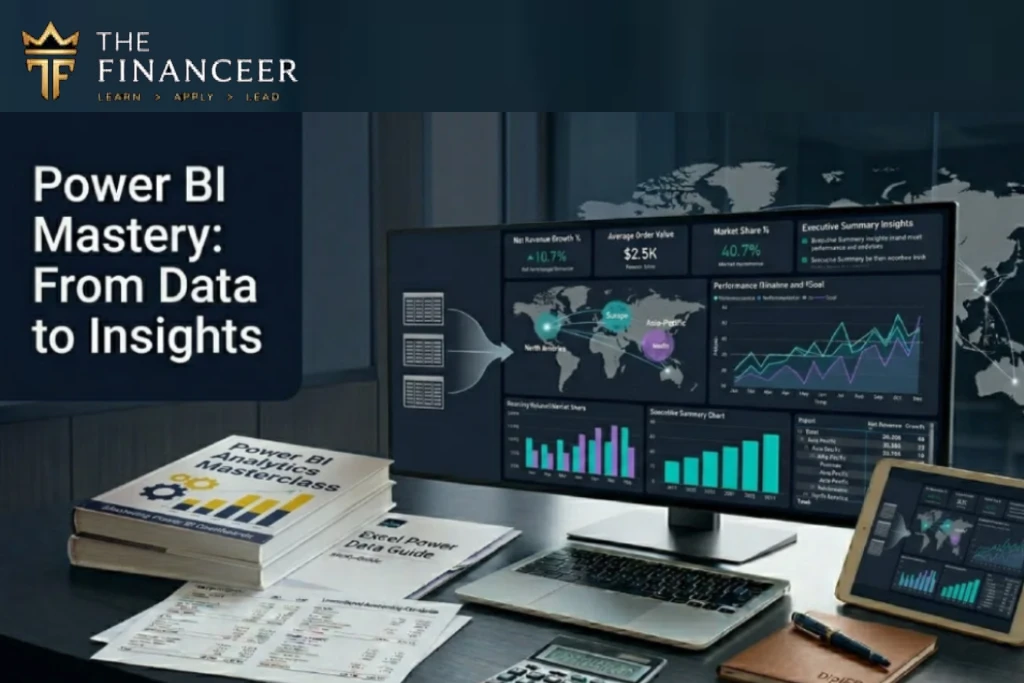
Power BI Mastery From Data to Insights. From Reports to Real Decisions.
Turn Raw Data into Business Intelligence That Drives Action
Presented by: Dr. Hesham Mokheimer
Course Overview
About Power BI Mastery Course Your Roadmap to Data Insights & Business Intelligence
Transforming Data into Strategic Impact
By the end of the program, you won’t just “use Power BI.”
You will use it to analyze, explain, and influence business performance with confidence.
Key Learning to Objectives
The course focuses on practical business and finance cases, not just tools. By the end of the course, participants will be able to build full interactive dashboards and reporting systems.
Course Details:
- e-Learning (Recorded Videos)
Downloadable Materials:
PDF Files
Project Files
Downloadable Materials:
PDF Files
Project Files
Finance Professionals & Accountants
Financial Analysts
Auditors
Data Analysts
Sales and Marketing Professionals
Supply Chain Professionals
HR professionals
Because in today’s business environment, IFRS is not tested in exams anymore
it is tested in boardrooms.
Many companies are moving from Excel reporting to Business Intelligence tools because:
Course Benefits & Highlights A Practical Learning Experience That Transforms Data Skills into Business Impact
This program is designed to go beyond Power BI tools and focus on how data is used to drive real business decisions. It combines technical skills with analytical thinking to ensure participants can deliver meaningful insights—not just reports.
This course delivers real value by turning participants into data-driven professionals who can confidently transform raw data into insights, communicate findings clearly, and support decision-making across the organization.
Data is large and comes from multiple sources
Reports need automation
Management needs dashboards
Reports need visualization
Manual reporting takes too much time
Companies need data-driven decisions

Automate reporting
Build interactive dashboards
Combine data from multiple sources
Build data models
Use DAX formulas
Create KPIs and performance dashboards
Improve reporting efficiency
Move from Excel reporting to BI reporting
Become Data Analyst or Power BI Developer veloper
Who Should Attend Designed for Professionals Who Want to Turn Data into Real Business Insights
This Course Is Ideal For:

Accountants

Financial Analysts

Finance Managers

Business Analysts

Data Analysts

Reporting Specialists
Auditors
Excel users working with data
Anyone interested in Data Analytics
Anyone who wants to build dashboards and reports
Anyone planning a career in Data Analysis or Business Intelligence

Supply Chain

HR

Sales and Marketing Professionals
Pre-requisites
Skills You Will Gain Results That Drive Real Impact
By the End of This Course You Will Be Able To: By the End of This Course You Will Be Able To:
- Understand Business Intelligence concepts
- Import data into Power BI
- Clean and transform data using Power Query
- Combine multiple data sources
- Build data models
- Create relationships between tables
- Create calculated columns
- Create measures using DAX Use CALCULATE and FILTER functions
- Use Time Intelligence functions
- Create KPIs
- Build interactive dashboards
- Create charts and visualizations
- Use slicers and filters
- Build financial dashboards
- Build sales dashboards
- Build management dashboards
- Publish reports
- Create automated reporting process
- Turn data into insights and business decisions

Power BI Mastery Course Outline
- What is Business Intelligence
- Data vs Information vs Insights
- Data Analytics process
- Overview of Power BI ecosystem
- Power BI Desktop
- Example dashboards and reports
- Data-driven decision making
- Import data from Excel
- Import data from CSV
- Import data from databases
- Import data from web
- Import multiple files
- Data refresh
- Data source settings
- Data connections
- Power Query Editor
- Data cleaning
- Remove duplicates
- Replace values
- Split columns
- Merge columns
- Change data types
- Unpivot columns
- Pivot columns
- Merge queries
- Append queries
- Create calculated columns
- Data transformation steps
- Building automated data preparation
- Data refresh process
- What is data model
- Relationships between tables
- One-to-many relationships
- Star schema
- Fact tables
- Dimension tables
- Data model design
- Data model optimization
- Calendar table
- Working with multiple tables
- Introduction to DAX
- Calculated columns vs Measures
- SUM
- AVERAGE
- COUNT
- DISTINCTCOUNT
- CALCULATE
- FILTER
- ALL
- RELATED
- Time intelligence functions
- TOTALYTD
- SAMEPERIODLASTYEAR
- DATEADD
- Running totals
- Growth calculations
- Variance analysis
- KPIs calculations
- Dashboard design principles
- Choosing the right visual
- Charts
- Tables
- Matrix
- Cards
- KPIs
- Maps
- Slicers
- Filters
- Drill down
- Drill through
- Tooltips
- Interactive dashboards
- Financial dashboards
- Sales dashboards
- Management dashboards
- Dashboard layout and design
- Formatting dashboards
- Publish to Power BI Service
- Create dashboards
- Share reports
- Export reports
Data refresh
Participants will build a full dashboard project including:
- Data import
- Data cleaning
- Data model
- DAX measures
- KPIs
- Dashboard
- Publishing report
This project simulates real business reporting environment.
How the Course Is Delivered The course is highly practical and hands-on.
Training includes:
- Step-by-step demonstrations
- Hands-on exercises
- Case studies
- Building dashboards
- Data modeling exercises
- DAX exercises
- Dashboard design exercises
- Full reporting project
- Real business datasets
- Finance and sales datasets
Participants will receive:
- Power BI files
- Datasets
- Exercises
- Case studies
- Dashboard templates
- Course materials
Who Should Attend Designed for Professionals Who Want to Turn Data into Real Business Insights
--
Course Benefits & Highlights
Course Content
Current Status
Price
Get Started
About Your Trainer – Hesham Mokhiemer
The Power BI Mastery course is delivered by Hesham Mokhiemer, a finance, data analytics, and business intelligence trainer specialized in data analysis, dashboard reporting, financial modeling, and reporting automation using tools such as Microsoft Power BI and Microsoft Excel. What makes Hesham’s training unique is that his background is finance and business, not only data tools. This means the focus of the training is not only how to use Power BI, but how to use data analytics and dashboards for business decision making, financial analysis, and performance management.
Hesham has trained over 18,000 professionals and participants in finance, accounting, data analysis, Excel, Power BI, and financial modeling across different industries and business sectors. His training programs focus on building practical reporting and analytics solutions used in real companies.

His training philosophy is:
This course reflects Hesham’s experience in helping finance and business professionals move from Excel reporting to Business Intelligence and Data Analytics.
Invest in Your Future
Need Personal Guidance? Book your session or connect with our consultant for immediate support.
Trusted by professionals
across the region
138 LinkedIn recommendations from finance professionals, auditors, and trainees across Saudi Arabia and beyond.
Worked with Hesham?
Share your experience on LinkedIn and it may appear here.
Write a recommendationLet's Discuss Your Training Needs Not sure which program best fits your organization?
Your organization's training objectives
Course customization options
Scheduling and quotation
Recommended learning path
Delivery format (Classroom / Virtual)
No obligation • 30 minutes • Online Meeting
Your Learning Journey to Power BI Mastery Don’t Just Build Reports - Create Insights That Drive Decisions
Uncover Insights: Interact with the Live Data
Frequently Asked Questions
No, but basic Excel knowledge is required.
Yes, participants will build dashboards step by step.
Yes, very practical with exercises and datasets.
Yes.
Yes.